
Toro Lawn Mower Replace Guide: Front Wheel, Battery & Blade Replacement
Maintaining your Toro lawn mower is essential for keeping it running smoothly and cutting efficiently. Whether you need to replace the front wheel, the battery, or the cutting blade, this 2025 guide walks you through each service step-by-step using the same process trusted by homeowners, professionals, and small engine dealers.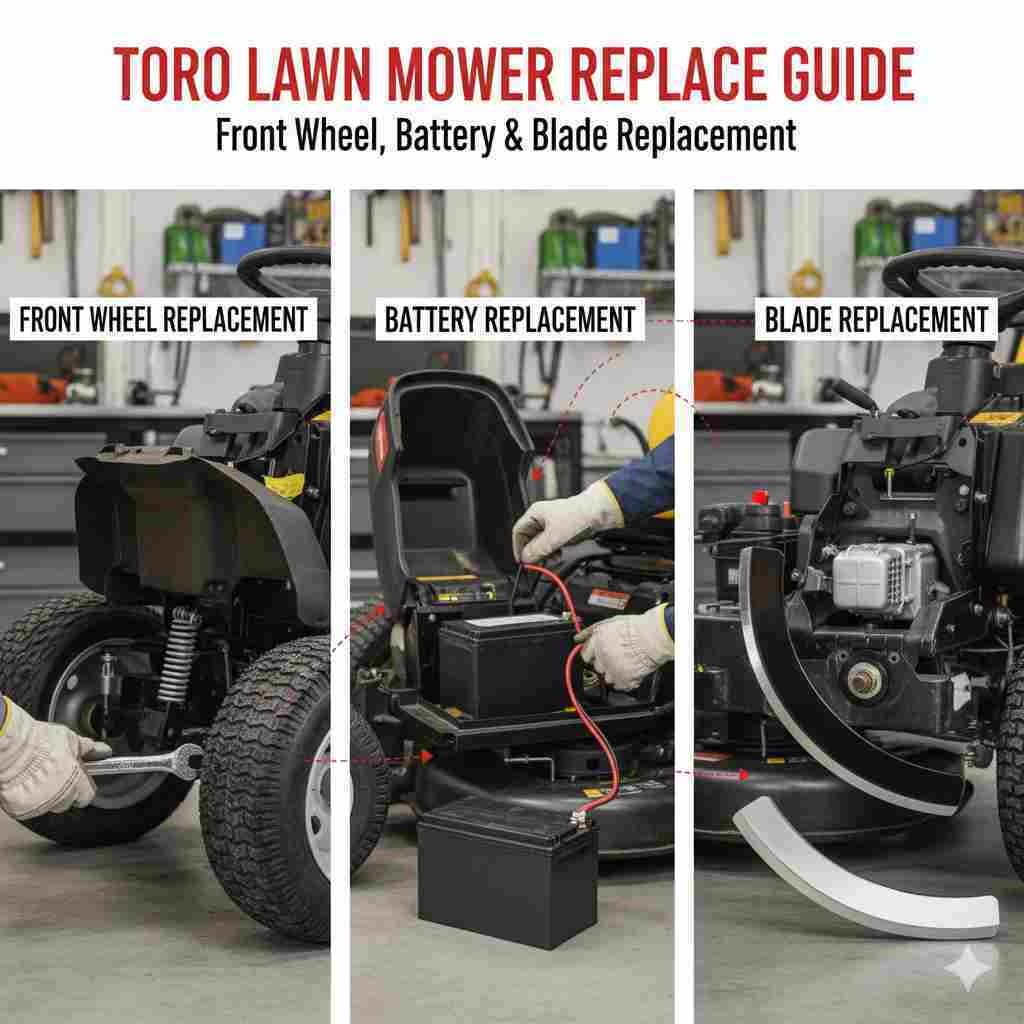
This guide applies to the most popular Toro models, including Recycler, SmartStow, Personal Pace, and 60V Flex-Force cordless mowers.
When Your Toro Mower Needs Parts Replaced
- The mower pulls to one side (wheels)
- The engine won’t start, or the runtime is weak (battery issue)
- The grass looks torn or uneven (blade damage)
- Vibration increases while mowing
- Visible wear, dents, or thinning on wheels or blades
If you’re experiencing any of these symptoms, replacing worn components is the best way to restore performance and prevent long-term damage.
Tools You’ll Need
- Socket wrench or impact wrench
- ⅜” to ⅝” sockets, depending on your Toro model
- Work gloves and safety glasses
- Block of wood (for blade replacement)
- Replacement OEM Toro wheel, blade, or battery
How to Replace the Front Wheel on a Toro Lawn Mower
| Step | What to Do |
|---|---|
| 1. Turn off the mower | Disconnect the spark plug wire for safety. |
| 2. Tilt the mower back slightly | Expose the front wheel and lock the mower in place. |
| 3. Remove the axle bolt | Use a socket wrench to loosen and remove the wheel bolt. |
| 4. Take off the old wheel | Slide the wheel off the axle, saving any washers or gears. |
| 5. Install the new wheel | Align it with the axle, then reinstall the washers/gears. |
| 6. Tighten the bolt | Secure the wheel firmly without overtightening. |
How to Replace the Battery on a Toro Lawn Mower
Toro’s 60V Flex-Force and 40V cordless mowers use slide-in lithium-ion battery packs. If your mower loses power quickly or fails to charge, replacing the battery restores runtime and torque.
| Step | What to Do |
|---|---|
| 1. Power off the mower | Ensure the mower is fully turned off before servicing. |
| 2. Open the battery compartment | Lift the cover located on the deck or control panel. |
| 3. Remove the old battery | Press the release tab and slide the pack out. |
| 4. Insert the new battery | Align the rails and push until it clicks securely. |
| 5. Close the compartment | Seal the lid to protect against dust and moisture. |
How to Replace a Toro Lawn Mower Blade
A dull or damaged blade affects cut quality and stresses the engine. Toro recommends replacing blades at least once per season or sooner for heavily used mowers.
| Step | What to Do |
|---|---|
| 1. Disconnect the spark plug | This prevents accidental engine startup. |
| 2. Tilt the mower on its side | Always tilt the air filter facing up to avoid flooding. |
| 3. Block the blade | Use a wooden block to keep the blade from moving. |
| 4. Remove the bolt | Use a wrench or impact to loosen the blade bolt. |
| 5. Remove the old blade | Slide it off the spindle shaft. |
| 6. Install the new blade | Ensure the cutting edge faces the direction of rotation. |
| 7. Tighten securely | Use torque specs recommended by Toro (typically 60–80 ft-lbs). |
Frequently Asked Questions
How often should I replace Toro mower blades?
Every 50–75 hours for typical use, or sooner if they show dents, cracks, or heavy wear.
Do Toro wheels fit universally?
No. Wheel size and gear design vary by model. Always match your mower’s exact model number.
How long do Toro batteries last?
Most 60V Flex-Force packs last 3–5 years, depending on charge cycles and storage conditions.
Can I sharpen Toro blades instead of replacing them?
Yes—unless the blade is thinned, cracked, or bent. Damaged blades must be replaced.
Final Thoughts
Replacing the front wheel, battery, or blade on your Toro lawn mower is simple and keeps your mower cutting clean, running longer, and performing like new. Following these steps ensures safe and accurate replacement every time.
For OEM Toro parts, wheels, batteries, and blades, check our catalog for fast, reliable replacements.
Recent Posts
-
How to Start a Toro Zero-Turn Lawn Mower
Learning how to start a Toro lawn mower zero-turn correctly helps ensure safe operation and reliable …Aug 14th 2026 -

Toro Lawn Mower Replace Guide: Front Wheel, Battery & Blade Replacement
Maintaining your Toro lawn mower is essential for keeping it running smoothly and cutting efficient …Dec 2nd 2025 -
How To Sharpen Toro Mower Blades
A Toro mower behaves consistently to keep your mower in optimal working order, which is crucial to m …Oct 16th 2025